Invoices
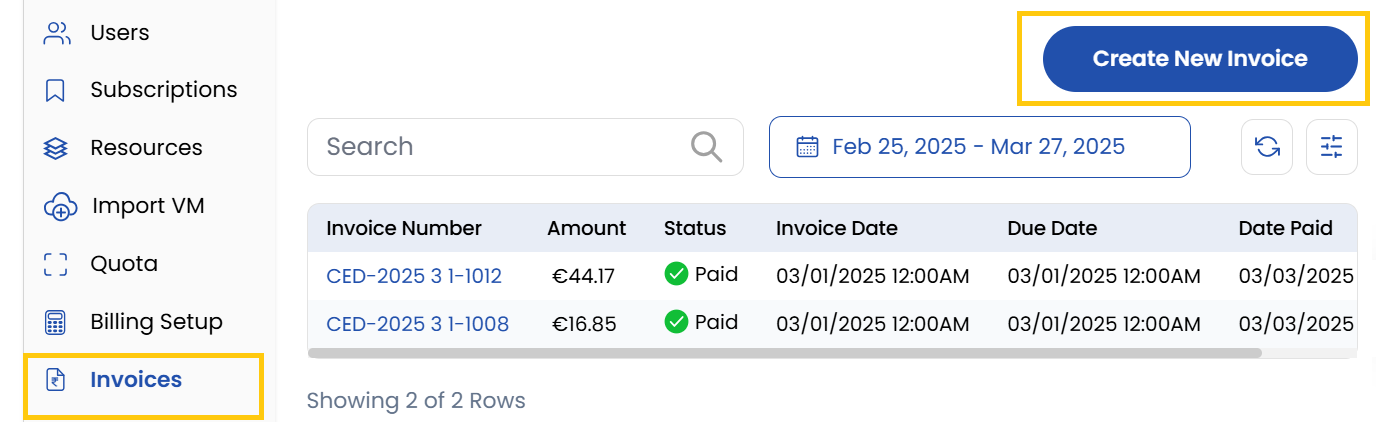
Displays all past and current invoices associated with the client. Use filters to search or sort invoices by date, status, or amount.
- To create a new invoice, click on the Create New Invoice button.
Creating an Invoice
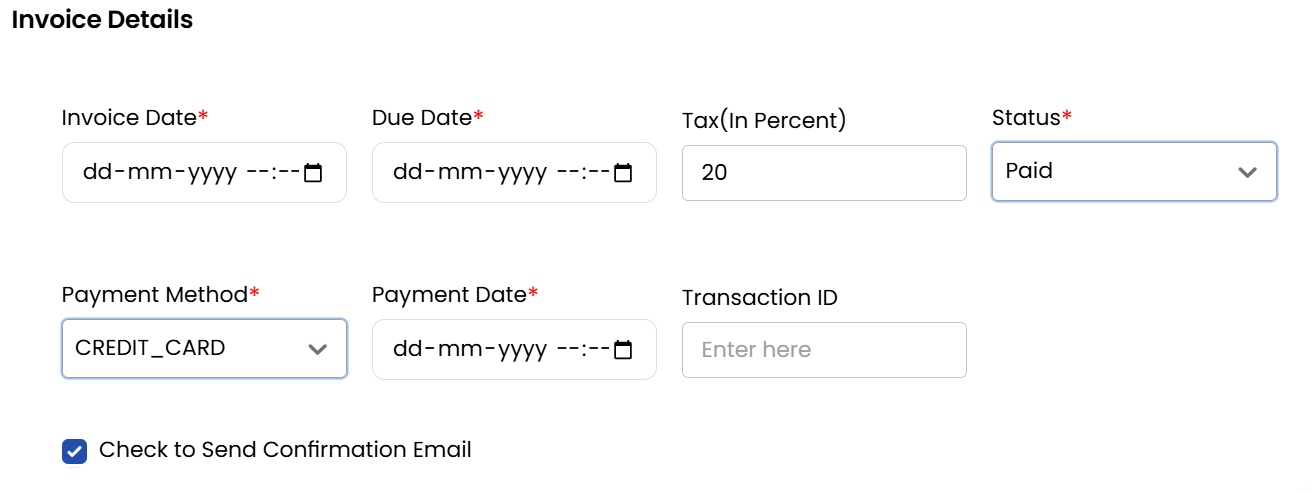
- Enter the following invoice details:
- Invoice Date: Enter the issue date of the invoice.
- Due Date: Specify the payment deadline.
- Tax Percentage: Add the applicable tax rate.
- Status: Paid, Unpaid and Draft (if you plan to finalize it later).
Adding Invoice Items
-
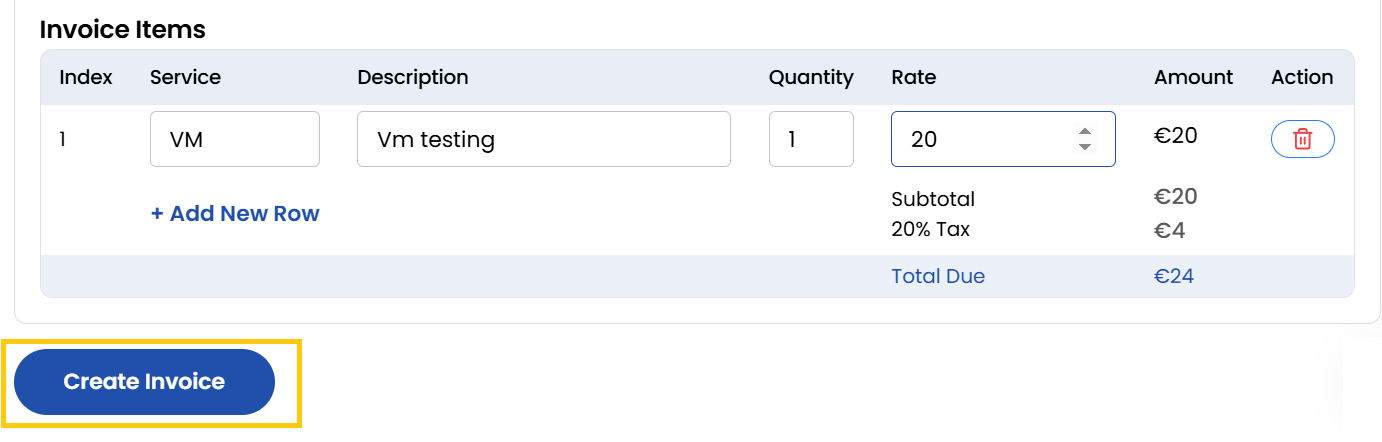
Once the invoice is created, you can add individual items with:
- Service: Define the type of service provided.
- Description: Add details about the service.
- Quantity: Enter the quantity for accurate billing.
- Rate: Specify the per-unit rate.
- Amount: The total calculated amount for each item.
-
Once all details are finalized, click Create Invoice to confirm.
Conclusion
The Invoices section provides comprehensive tools for generating, tracking, and managing client billing, ensuring accurate financial records and timely payments.
tip
See also: